What Is cPanel Hosting? Complete Beginner Guide
- By Anis Ur Rahman
- 10 Aug, 2026
cPanel hosting is web hosting that comes with cPanel, a control panel that lets you manage your website through a simple dashboard instead of typing server commands. You can install apps, manage files, create email accounts, and monitor your hosting — all from one easy-to-use dashboard. cPanel is widely used for Linux-based web hosting. If you've ever felt lost trying to set up a website, this guide will walk you through exactly what cPanel does, whether you can get it for free, which providers offer it, and how much it really costs.
What Is cPanel and What Is It Used For?
Short answer: cPanel is a web-based control panel that gives you a visual dashboard for managing your hosting account — files, databases, domains, email, and installed software — without needing to know Linux commands.
Without cPanel, doing any of this means logging into a server through the command line and typing exact syntax — one typo can take your site offline. cPanel replaces that with clickable menus, so the same tasks take minutes instead of hours.
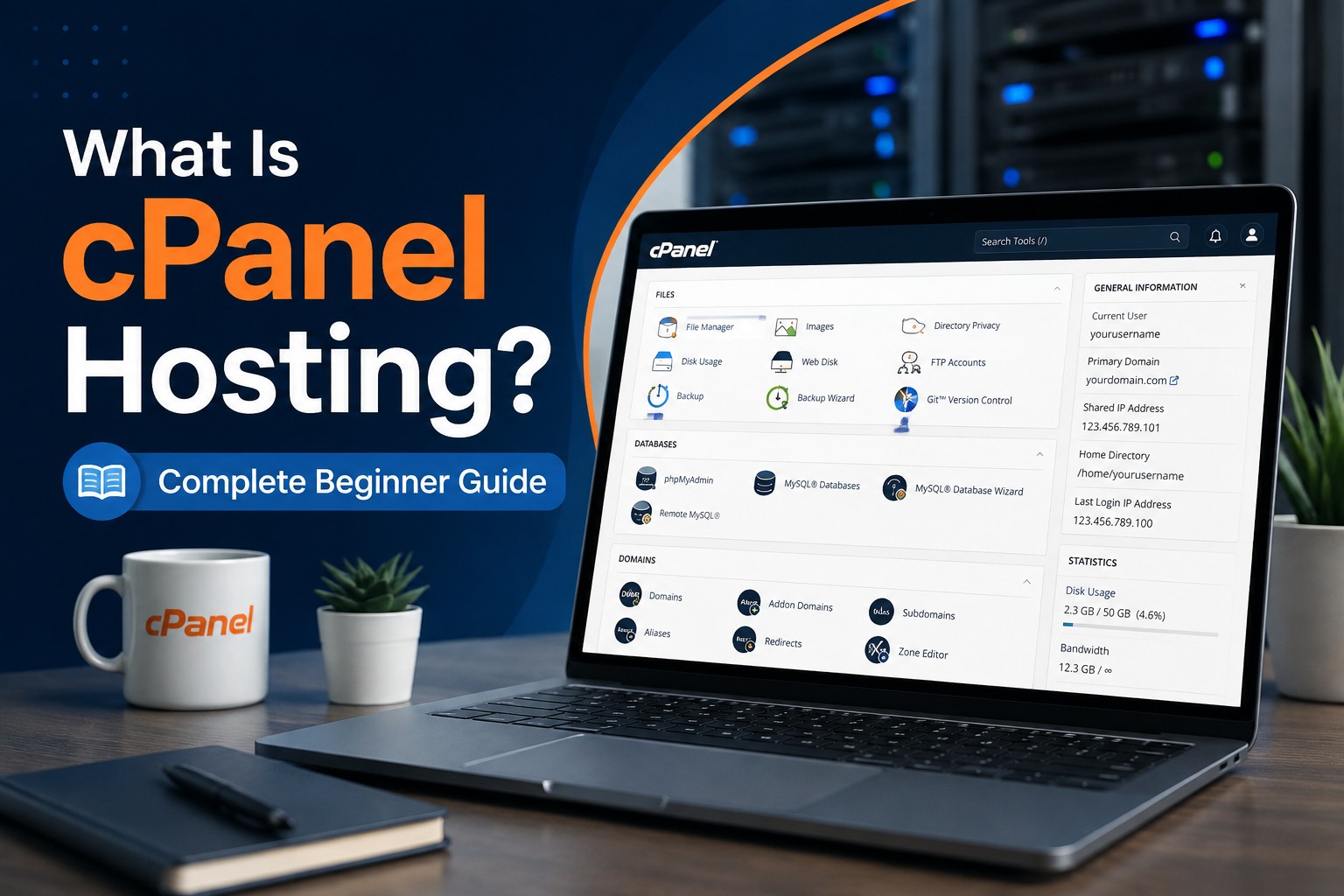
Inside cPanel, you'll typically find:
File Manager – upload, edit, and organize your website files directly in the browser
Databases – create and manage MySQL databases for WordPress or other apps
Email Accounts – set up addresses like you@yourdomain.com
Domains – add subdomains, redirects, or park additional domains
Softaculous or similar installers – install WordPress, Joomla, or other apps in one click
Backups – download or restore full backups of your site
Behind the scenes, most hosting companies pair cPanel with WHM (Web Host Manager). WHM is the administrative layer that hosting providers use to create and manage cPanel accounts, while cPanel is the layer you, the site owner, actually log into.
How Does cPanel Work?
Short answer: Your host installs cPanel on the server, WHM handles the backend account setup, and you log into your personal cPanel dashboard through your browser to manage everything about your website.
Who uses it?
Beginners building their first WordPress site, freelancers managing client sites, agencies reselling hosting, and small businesses running an online store all use cPanel because it doesn't require coding knowledge.
How does it work?
When you sign up for cPanel hosting, your provider uses WHM to spin up an account for you on their server. You then get a login URL (often yourdomain.com/cpanel) and credentials. From there, you can install WordPress, create email accounts, manage files, and check your hosting resources directly from the cPanel dashboard.
Why does it matter?
Before control panels existed, managing a server meant editing configuration files through a command line, which was slow and easy to break. cPanel makes many routine hosting tasks accessible to users without command-line experience.
Is There Any Web Hosting That Includes cPanel for Free?
Short answer: cPanel itself isn't free for hosting companies — they pay a monthly licensing fee — so "free cPanel hosting" almost always means the license cost is bundled into a paid plan, or offered as a limited free trial.
You won't typically find permanently free hosting with full cPanel access, and here's why:
cPanel charges hosting providers a monthly fee based on the number of accounts they run.
Free hosting services usually cut costs by using their own lightweight panel instead (like hPanel or a custom dashboard).
Providers that do offer "free cPanel," often mean it's included at no extra charge within an already-paid plan — not free hosting itself.
If your goal is genuinely free hosting, look for services with free-tier plans and check the fine print: some throttle bandwidth, add ads, or cap you at one small site. For anything beyond a hobby project or test site, a low-cost paid cPanel plan is usually the more realistic option.
Read More: Web Hosting Guide in 2026
Which Provider Offers the Best cPanel Hosting?
Short answer: The best cPanel host depends on your priority — beginners generally want strong support and an easy setup, while growing sites want faster storage (NVMe/LiteSpeed) and higher uptime guarantees. Well-known names offering cPanel-based plans include Ummah Host, Ummah Host BD, Namecheap, and GoDaddy, among others.
When comparing cPanel hosts, judge them on:
Uptime guarantee – look for 99.9% or higher
Server technology – LiteSpeed or NVMe storage tends to load sites noticeably faster than older setups
Support availability – 24/7 live chat matters most in your first few weeks
Renewal pricing – the advertised price is often an introductory rate; check what you'll pay after year one
Included extras – features such as free SSL, a free domain for the first year, and regular backups can add extra value to your hosting plan.
A practical way to shortlist a provider: sign up for the shortest billing term available, test their support response time with a real question, and confirm their renewal price in writing before committing to a longer plan.
How Much Does cPanel Hosting Cost?
Short answer: Entry-level cPanel hosting plans commonly start in the $12–$16 per month range on an introductory term, with renewal pricing often landing higher — sometimes double or more — once the first term ends.
Here's what typically affects the price:
Plan tier – single-site starter plans cost less than multi-site or reseller plans
Term length – paying for 24–36 months upfront usually locks in the lowest monthly rate
Server resources – more storage, RAM, and visitor capacity raises the price
Add-ons – dedicated IP, extra backups, or premium security scanning cost extra
Always check the renewal price, not just the intro price — many providers discount the first term steeply, then reset to a much higher rate, sometimes 50–70% higher.
cPanel vs Plesk: Which Control Panel Should You Choose?
Short answer: cPanel is more common on Linux-based shared hosting and has the largest support community, while Plesk supports both Linux and Windows servers and is popular with developers running mixed environments.
If you're a beginner running a standard WordPress or small business site, cPanel's simplicity and huge base of tutorials make it the safer starting point. DirectAdmin is a third, more lightweight option worth knowing about — it's cheaper for hosts to license than cPanel, which is why you'll sometimes see it on budget plans, though its interface and community are smaller.
A Typical Beginner Scenario
Here's a common pattern support teams report: someone moves from a free website builder to self-hosted WordPress. Using cPanel's Softaculous installer, the WordPress install itself takes under five minutes with no developer involved.
The first real test usually comes later — restoring a backup after accidentally deleting a page, or setting up a dedicated inbox for orders. Both are one-click actions inside cPanel, which is precisely the gap it's built to close: turning tasks that would otherwise need a developer into something a site owner can do alone.
Explore More: Shared Hosting vs VPS hosting in 2026
How to Set Up Your First cPanel Hosting Account
Choose a plan that fits your site size — a single-site starter plan is enough for most beginners.
Check the renewal price before you buy, not just the discounted intro rate.
Log into cPanel using the URL and credentials your host emails you.
Install WordPress (or your app of choice) using the one-click installer.
Set up your email account under the Email section so you can send from your domain.
Schedule a backup so you always have a restore point.
Frequently Asked Questions
What is cPanel and what is it used for?
cPanel is a browser-based control panel used to manage a hosting account — files, databases, email, domains, and app installs — without needing command-line skills.
Is there any web hosting that includes cPanel for free?
Not permanently, in most cases. cPanel carries a licensing cost for hosting providers, so "free cPanel hosting" usually means it's bundled into an affordable paid plan or offered as a short free trial.
Which provider offers the best cPanel hosting?
It depends on your needs, but strong candidates typically stand out for fast storage (NVMe/LiteSpeed), 24/7 support, and transparent renewal pricing. Compare at least three providers before deciding.
How much does cPanel hosting cost?
Entry plans often start around $12–$16 a month on an intro rate, with renewal pricing typically higher. Always confirm the renewal cost before signing up.
Is cPanel hard to learn for beginners?
Many beginners can learn basic cPanel tasks such as installing a website, managing files, and creating email accounts without command-line experience.
What's the difference between cPanel and WHM?
cPanel is the dashboard site owners use daily. WHM is the backend tool hosting providers use to create and manage those cPanel accounts.
Where to Go Next
If you're ready to move forward, pick based on where you are:
Ready to buy? Go straight to cPanel Hosting Price & Plans for current plan tiers and renewal pricing.

Author By
Anis Ur Rahman
Anis Ur Rahman writes domain and web hosting–related articles on behalf of Ummah Host. He works with domain name selection, web hosting, BDIX hosting, and website performance, and creates informational guides based on practical experience to help users make informed decisions. His writing focuses on providing reliable, easy-to-understand, and decision-supportive content.