Reseller Hosting vs Cloud Hosting: Which Model Fits Your Business?
- By Anis Ur Rahman
- 06 Aug, 2026
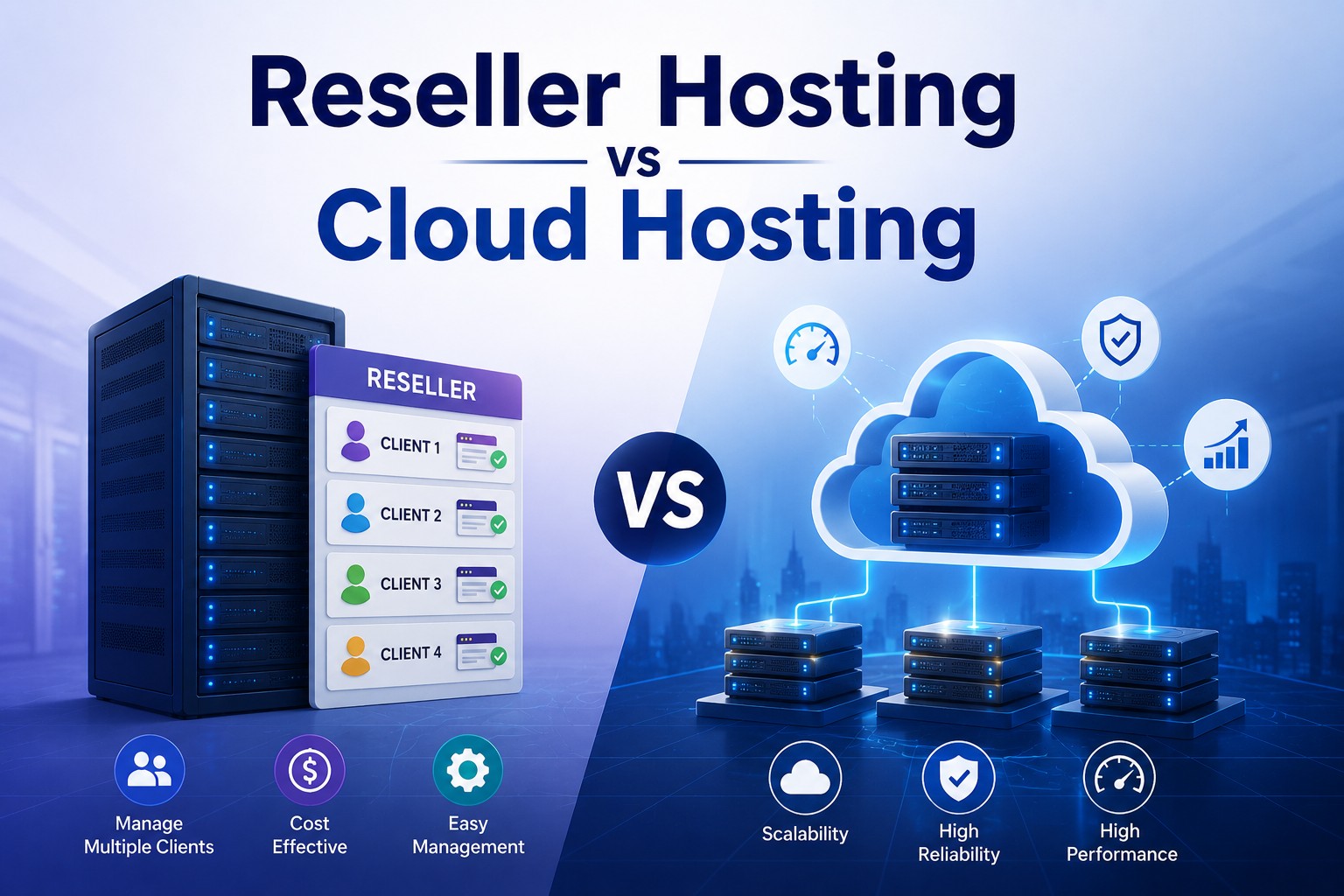
Reseller hosting works best if you want to start a hosting business on someone else's server infrastructure, while cloud hosting works best if you need a scalable, high-performance environment for your own websites or apps. The right pick depends on whether you're selling hosting or using it. This guide breaks down both models, so you can match your goals to the right server setup.
What Is Reseller Hosting?
Reseller hosting is a service that lets you buy server space in bulk from a hosting provider, then resell it under your own brand. You act as the middleman — the provider handles the hardware, and you handle the customers. Here's how it actually works. A hosting company (like a VPS or dedicated server provider) sells you a large storage and bandwidth allocation. You then split that allocation into smaller packages and sell them to your own clients, often small businesses or bloggers who need a web host.
Entities involved:
Reseller hosting provider – the parent company supplying server resources
WHMCS – billing and client management software most resellers use to automate invoices, signups, and support tickets
label branding – the ability to remove the provider's name and put your own logo, domain, and support email on everything
Sub-accounts (cPanel/WHM) – individual hosting accounts you create and assign to each client
How Does Reseller Hosting Work?
You buy wholesale, and you sell retail. The parent provider gives you a Web Host Manager (WHM) panel, where you create and manage individual cPanel accounts for each client. You set the price, the plan limits, and the support terms.
The typical workflow looks like this:
You purchase a reseller hosting package (with a fixed amount of disk space and bandwidth).
You use WHM to carve that space into smaller hosting plans.
You sell those plans to clients through your own website, often using WHMCS to automate billing.
Clients manage their own sites through cPanel, unaware (unless told) that you don't own the physical servers.
This model is popular with web design agencies and freelancers who already have client relationships and just need a way to host those clients' sites profitably. If you're following a start a hosting business guide, reseller hosting is usually the lowest-cost entry point, since you skip the expense of buying your own servers.
Which Reseller Hosting Plan Is Best for Beginners?
For beginners, the best reseller hosting plan in 2026 is one with moderate storage (around 50–100 GB), unmetered or generous bandwidth, and a free WHMCS or billing integration. Overpaying for space you won't use in year one is the most common beginner mistake.
When comparing reseller hosting plans, focus on:
Storage and bandwidth allocation – Match this to how many client sites you expect in the first six months, not your five-year goal.
Branding options – Confirm the provider allows full white-label setup, including private nameservers.
Billing panel included or add-on – WHMCS often costs extra; some providers bundle it free for the first year.
Support model – Some providers offer 24/7 support you can pass off as your own ("white-label support"), which saves you from handling every ticket yourself.
A useful way to picture reseller hosting pricing: entry-level plans often start around $20–25/month for 50–60 GB with unmetered bandwidth — enough for a first 15–20 small client sites. Most beginners outgrow their storage far slower than they expect, so it's usually smarter to start on a lean plan and upgrade later than to overpay for headroom you won't touch in year one.
What Is Cloud Hosting?
Cloud hosting is a hosting model where your website runs across a network of connected virtual servers instead of one physical machine. If one server has an issue, another picks up the load automatically, which keeps your site online.
Entities involved:
Distributed servers – multiple machines, often in different data centers, sharing the workload
Auto-scaling – the system automatically adds more resources (CPU, RAM) when traffic spikes, then scales back down
Load balancer – software that routes visitor traffic across servers so no single one gets overwhelmed
Pay-as-you-go pricing – you're billed for the resources you actually use, similar to a utility bill
Cloud vs VPS vs Shared Hosting: What's the Difference?
The core difference is where your site actually lives. Shared hosting puts your site on one server alongside many other websites, all splitting the same resources. VPS hosting gives you a private, walled-off slice of one physical server. Cloud hosting spreads your site across a cluster of servers working together, so no single machine carries the full load.
That difference matters in three practical ways:
Uptime: If one server in a cloud cluster fails, traffic reroutes to another instantly. Shared and VPS hosting don't have that safety net — if their one server goes down, so does your site.
Scalability: Cloud hosting adds resources in real time during a traffic surge. Shared and VPS plans usually need a manual upgrade, which can take minutes to hours depending on the provider.
Cost structure: Cloud hosting typically bills for actual usage. Shared and VPS hosting charge a flat monthly fee, whether you use the full allocation or not.
In practice: shared hosting suits small, low-traffic sites on a tight budget. VPS hosting suits sites that need consistent, dedicated resources. Cloud hosting suits sites where traffic is unpredictable and downtime is costly.
Explore More: Shared Hosting vs VPS in 2026
Is Cloud Hosting Better for Handling Traffic Spikes?
Yes — cloud hosting is generally better for traffic spikes because it scales resources automatically in real time. A flash sale, viral post, or news mention that sends sudden traffic won't crash a properly configured cloud server the way it can crash shared hosting.
A scalable cloud hosting setup handles spikes well for three reasons:
Auto-scaling kicks in automatically – no need to manually upgrade your plan mid-crisis.
Redundancy prevents single points of failure – your site doesn't go down just because one server is overloaded.
Load balancers spread traffic evenly – visitors get routed to whichever server has capacity.
An e-commerce store running a holiday flash sale is a common real-world example. Traffic can jump 5–10x normal levels in an hour. On shared hosting, that surge often causes slow load times or a full crash. On cloud hosting with auto-scaling enabled, the platform adds server resources as visitors arrive, then scales back down once the sale ends — and the store only pays for the extra capacity it actually used.
Reseller Hosting vs Cloud Hosting: Side-by-Side Comparison
Who Should Choose Reseller Hosting, and Who Should Choose Cloud Hosting?
Choose reseller hosting if you're selling hosting to clients; choose cloud hosting if you're hosting your own site or app.
Choose reseller hosting if: You already work with clients (as a designer, developer, or agency) and want a new revenue stream from hosting their sites under your own brand.
Choose cloud hosting if: You run your own website, store, or app and need it to stay fast and online even when traffic is unpredictable.
Avoid reseller hosting if: You don't have (or plan to build) a client base — there's no one to resell to.
Avoid cloud hosting if: Your traffic is small and steady — you'd be paying for scalability you'll never use.
Learn More: Best Web Hosting Guide in 2026
Frequently Asked Questions
Can I use reseller hosting and cloud hosting together?
Yes. Some resellers now buy cloud-based reseller plans, which combine white-label reselling with the scalability of cloud infrastructure underneath — giving clients better uptime without changing your business model.
Is cloud hosting more expensive than reseller hosting?
It depends on usage. Cloud hosting can cost less for low-traffic periods (pay-as-you-go) but more during high-traffic events. Reseller hosting has a predictable flat fee, which is easier to budget around.
Do I need technical skills to run a reseller hosting business?
Basic skills help, but you don't need to be a server expert. Most reseller providers include WHM/cPanel, which handles the technical backend, while WHMCS automates billing and client onboarding.
Read More: What Is cPanel Hosting in 2026
Can cloud hosting go down?
It's rare but possible, usually during widespread provider outages rather than single-server failures. The redundancy built into cloud hosting makes downtime far less common than with traditional single-server setups.
Which is better for a beginner with no hosting experience: reseller or cloud?
If you're hosting your own first website, start with cloud or shared hosting — it's simpler. Reseller hosting makes more sense once you have clients to host for, since it requires managing other people's accounts.
Final Takeaway
Reseller hosting and cloud hosting solve two different problems. Reseller hosting helps you build a hosting business on top of someone else's infrastructure, with a fixed monthly cost you can plan around. Cloud hosting's pay-as-you-go pricing model helps your own site stay fast and online no matter how much traffic hits it, at a cost that flexes with actual usage. Pick based on what you're doing: selling hosting, or using it.
Read Relevant Guide:
What Is Dedicated Hosting in 2026?

Author By
Anis Ur Rahman
Anis Ur Rahman writes domain and web hosting–related articles on behalf of Ummah Host. He works with domain name selection, web hosting, BDIX hosting, and website performance, and creates informational guides based on practical experience to help users make informed decisions. His writing focuses on providing reliable, easy-to-understand, and decision-supportive content.